

Creating a Customizable Admin Panel with PHP and Bootstrap
In modern web development, creating an efficient and customizable admin panel is crucial for managing content, users, and settings of web applications. Admin panels provide a centralized interface for administrators to oversee and control various aspects of their websites or web applications. In this blog, we will explore how to build a customizable admin panel using PHP and Bootstrap, a popular front-end framework known for its responsive design and extensive component library.
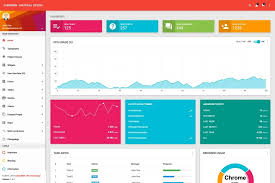
Why Use PHP and Bootstrap for Admin Panels?
PHP is a versatile server-side scripting language ideal for backend development. It provides robust features for handling data, interacting with databases, and processing server requests. Bootstrap, on the other hand, offers a sleek and responsive UI toolkit with ready-to-use components and styles, making it effortless to create aesthetically pleasing and functional admin interfaces. Combining PHP with Bootstrap allows developers to quickly prototype and build powerful admin panels that are both user-friendly and visually appealing.
Prerequisites
Before we begin, ensure you have the following:
- PHP installed on your development environment.
- Basic knowledge of HTML, CSS, and PHP.
- Bootstrap CSS and JavaScript files included in your project (you can link to them directly from a CDN).
Step-by-Step Guide
Step 1: Setting Up Your Project
Create a new directory for your project and initialize a basic file structure:
/admin-panel/ ├── assets/ │ ├── css/ │ │ └── style.css │ ├── js/ │ └── img/ ├── includes/ │ ├── header.php │ └── footer.php ├── index.php └── dashboard.php
Step 2: Integrating Bootstrap
Include Bootstrap CSS and JavaScript files in your project. You can add the following links to your header.php file:
Step 3: Creating the Admin Dashboard
dashboard.php
Welcome to the Admin Dashboard
Dashboard Posts Users Settings
Admin Panel Overview
Welcome to your customizable admin panel built with PHP and Bootstrap. You can manage various aspects of your application here.
Step 4: Creating Dynamic Content
index.php
Welcome to the Admin Panel
This is a simple example of dynamic content using PHP and Bootstrap.
Step 5: Styling with Custom CSS
assets/css/style.css
css
Copy code
/* Add your custom styles here */
Step 6: Header and Footer Includes
header.php
Admin Panel
footer.php
Copyright © Admin Panel. All rights reserved.
Conclusion
In this blog post, we have explored how to create a customizable admin panel using PHP and Bootstrap. We started by setting up our project structure and integrating Bootstrap for responsive design. Then, we created dynamic content pages such as the dashboard and home page using PHP includes for header and footer sections. This approach allows you to easily add more features and pages to your admin panel as your application grows. By leveraging the power of PHP for server-side logic and Bootstrap for front-end styling, you can build robust and user-friendly admin panels tailored to your specific needs. Start building your own customizable admin panel today and streamline the management of your web applications!

-Photoroom.png)