
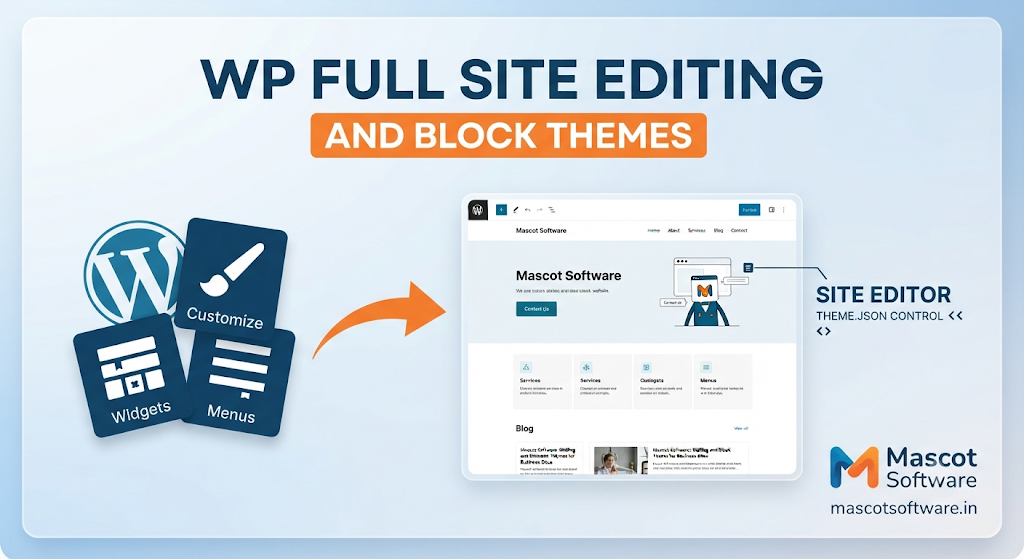
WordPress Full Site Editing and Block Themes for Business Sites
Modern business websites need to move quickly. Marketing teams launch new campaign landing pages every week, product teams update feature highlights, and developers want a codebase that stays clean, predictable, and easy to maintain.
Modern business websites need to move quickly. Marketing teams launch new campaign landing pages every week, product teams update feature highlights, and developers want a codebase that stays clean, predictable, and easy to maintain.
WordPress Full Site Editing (FSE) and block themes address this shift by bringing headers, footers, page templates, and global design tokens into a unified block-based workflow. Instead of splitting layout changes between PHP template files, widgets, and separate Customizer screens, teams can manage site structure and visual rules in one place.
For software companies, agencies, and service-based businesses, block themes offer clear advantages—as long as you put the right design guardrails in place before handing editing access to a broader team.
What Are Full Site Editing and Block Themes?
A block theme is a WordPress theme built specifically for block-based site editing. Rather than relying primarily on classic PHP templates like header.php, footer.php, and page.php, block themes use HTML template files and block markup to define layouts.
Full Site Editing (FSE) refers to the editing experience inside the WordPress Site Editor (Appearance > Editor), where you can work across:
-
Global Styles (
theme.json): A central configuration file that defines your color palette, typography scale, spacing presets, and layout widths. -
Templates and Template Parts: Reusable structural layouts for your front page, blog posts, archive pages, headers, and footers.
-
Patterns: Pre-built block combinations—such as hero banners, service grids, pricing sections, and call-to-action blocks—that editors can insert and customize.
-
Navigation Block: A block-driven menu system that lets you edit links, dropdowns, and mobile menu behavior directly inside templates.
Why Block Themes Matter for Business Websites
1. Faster Campaign and Landing Page Creation
When your site uses well-structured patterns, non-technical team members can assemble landing pages from approved blocks instead of waiting for custom template work for every minor page variation. A consistent set of hero, testimonial, feature, and CTA patterns speeds up publishing while keeping page structure familiar to visitors.
2. Stronger Brand Consistency via theme.json
Inconsistent font sizes, off-brand accent colors, and uneven section padding are common problems on growing business sites. A well-configured theme.json file enforces your design system at the theme level so every page draws from the same approved tokens.
3. Potential Reduction in Page-Builder Overhead
Many business sites historically relied on heavy third-party page builders to achieve flexible column layouts and custom sections. While page builders still have their place in certain workflows, native blocks and patterns can reduce extra wrapper markup and third-party script overhead when your layout needs align with core WordPress capabilities.
4. Clear Separation Between Structure and Content
Templates and template parts handle structural consistency across pages, while page content focuses on messaging, offers, and proof points. When a business updates its footer links, legal notices, or top navigation bar, updating a single template part reflects across the entire site.
Practical Guardrails Before You Roll It Out
Giving everyone full freedom in the Site Editor can create visual drift just as easily as messy shortcodes once did. Keep these four practices in mind:
-
Set Up
theme.jsonFirst: Define brand colors, fluid font sizes, and spacing presets before building pages so editors pick from intentional options rather than guessing hex codes or pixel values. -
Design Core Patterns Around Real Pages: Audit your highest-converting pages—such as your homepage, service pages, contact page, and blog articles—and turn recurring sections into clean patterns.
-
Restrict Risky Style Controls Where Needed: Lock down custom colors, arbitrary font sizes, or layout settings on templates or blocks where strict brand compliance matters.
-
Test Plugins and Custom Features on Staging: Before switching a live business site to a block theme, test forms, SEO plugins, analytics, custom post types, and mobile navigation on a staging clone.
When Should a Business Stick With a Classic or Custom Setup?
Block themes are a strong fit for content-driven business sites, marketing sites, and publications that want native block workflows. However, a classic or hybrid custom setup may still make sense if:
-
Your site depends heavily on legacy plugins or custom PHP/shortcodes that are not yet tested with block templates.
-
Your team has an established classic theme workflow with no immediate benefit from migrating.
-
Your application logic lives mostly outside standard WordPress templates.
How to Publish This Post on WordPress
-
Open your WordPress dashboard and go to Posts > Add New Post.
-
Paste the title and body content into the editor, and format headings (
H2,H3), lists, and callouts cleanly. -
Add a relevant Featured Image (compressed as WebP/AVIF for fast loading) and write descriptive Alt Text.
-
Set the URL Slug, Excerpt / Meta Description, Category (such as WordPress), and Tags.
-
Preview both desktop and mobile views, then click Publish.
.jpeg)